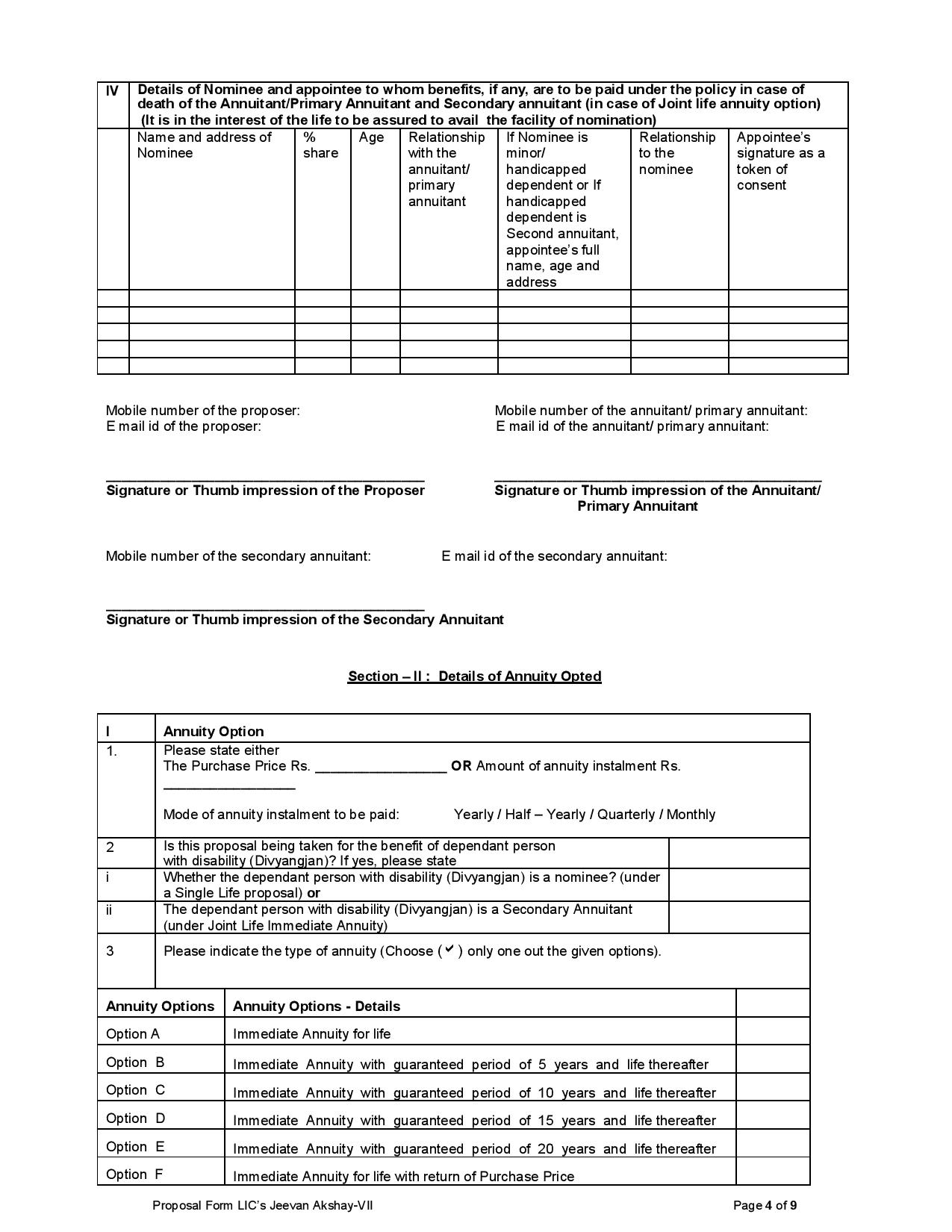
LIC Forms Download - LIC Form 340 - ( Rev. 2019 ) -
Proposal for Insurance on the Life of another adult person - 11 pages


.jpg)
.jpg)
.jpg)
.jpg)
.jpg)
.jpg)
The uploaded form is a LIC policy servicing request form addressed to the Chief / Senior / Branch Manager of the concerned LIC Branch.
Branch Address – Enter the complete address of the LIC branch.
Date – Enter the date of submitting the request.
Name of the Life Assured – Enter the policyholder/life assured's name.
Policy Numbers – Up to 12 policy numbers can be mentioned.
Change Premium Payment Mode
Request change in premium payment mode, including ECS-related requirements where applicable.

1. Register / Update Contact Details
Mobile number of the policyholder
Landline number with STD code
Email ID
PIN Code
Consent to receive SMS for policy servicing.
2. Change / Update Address
The new name and complete address can be recorded in LIC's books based on the enclosed proof of residence.
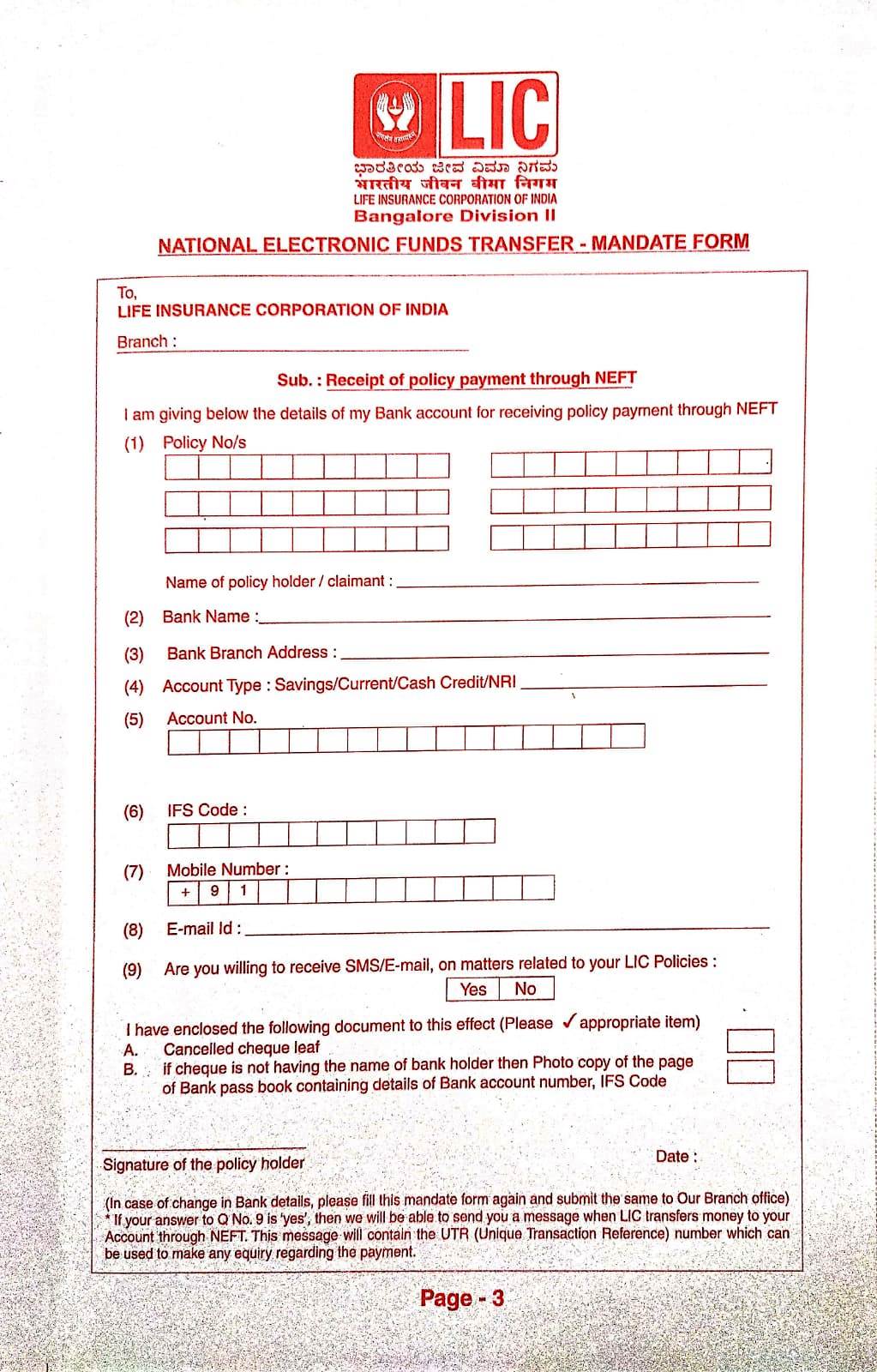
3. Register Bank Details for NEFT
Bank details can be registered for policy payments through NEFT. A cancelled cheque or bank passbook copy is to be enclosed.
4. Register PAN and Aadhaar
PAN Card and Aadhaar Card details can be registered with LIC, with attested copies enclosed.
5. Change Premium Payment Mode
Request change in premium payment mode, including ECS-related requirements where applicable.
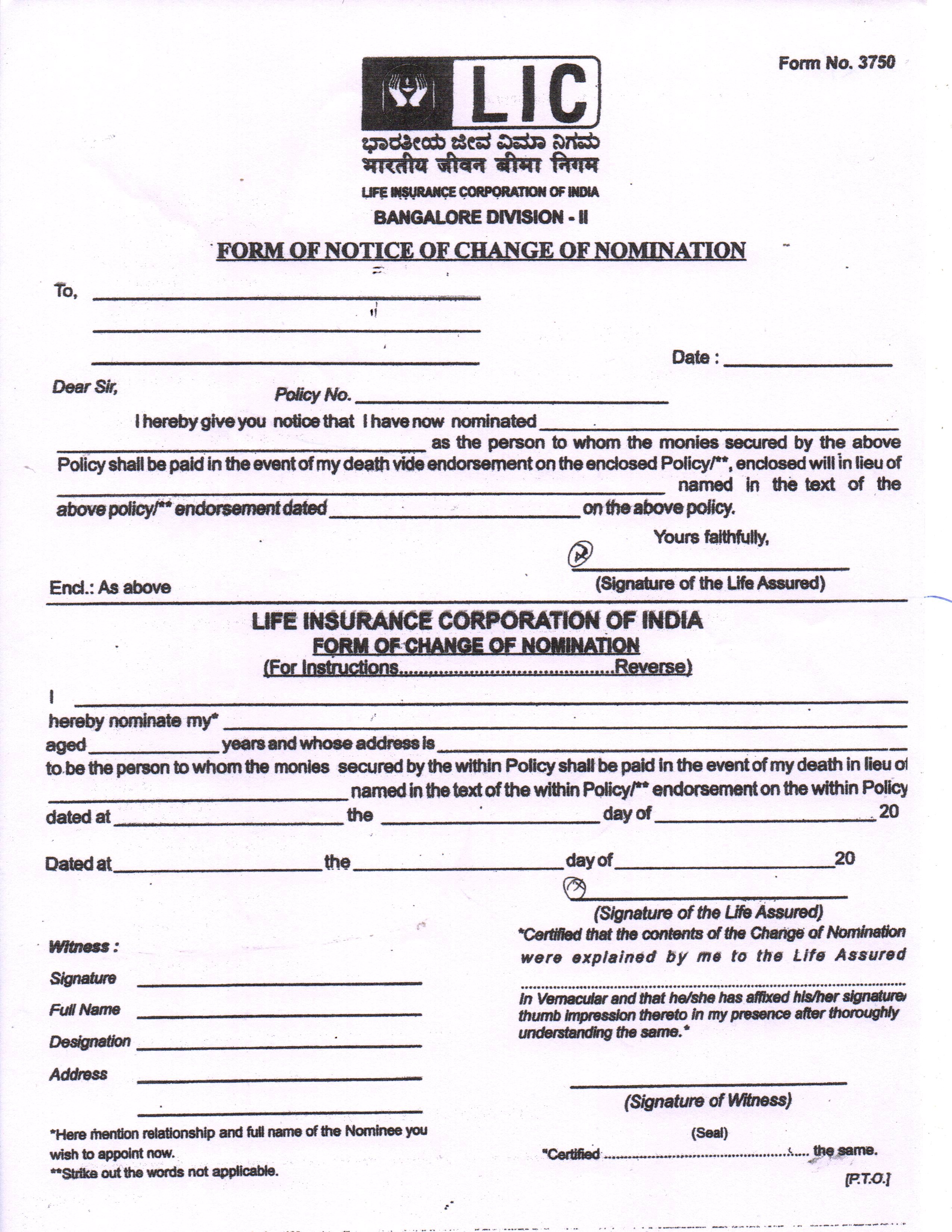
6. Nomination / Assignment
Register nomination
Change nomination
Assignment
Re-assignment
Required forms and policy documents are to be enclosed.
7. Transfer of Policy Servicing Branch
Request transfer of policy records to another LIC branch for future servicing.
8. Premium Paid Certificate
Request a premium-paid certificate for the relevant financial year.
9. Duplicate Policy Bond
Request issuance of a duplicate policy bond.
10. Policy Alteration
Request alterations such as:
Change in plan/term/premium-paying term
Reduction in sum assured
Other specified alterations
11. Accident Benefit
Request grant of accident benefit, with the required documents and applicable fee.
12. Policy Revival
The form provides options for revival under:
Special Revival Scheme
SB-cum-Revival
Loan-cum-Revival
Instalment Revival
13. Loan / Surrender Quotation
Request quotations for loan, surrender or other requirements for submission to the concerned authority.
14. ULIP Fund Switch
Request switching of funds under a ULIP policy from one fund to another.
15. Other Request
Any other policy servicing requirement can be specified.
After selecting the required service and completing the relevant details, the policyholder should sign the form and attach the necessary supporting documents. The completed form can then be submitted to the concerned LIC servicing branch.
This form covers a wide range of LIC services, including mobile number change, email update, address change, bank/NEFT registration, PAN/Aadhaar update, nomination, branch transfer, premium certificate, duplicate policy bond, revival, loan, surrender and ULIP fund switching.
Form No: 60 Form of declaration from LIC of India to be filed by an individual or a person ( not being a company or firm ) who does not have a permanent Account number ( PAN ) and who enters into nay transaction specified in rule 114B
LIC form : 60C ( 5 pages )



Easy Access to Policy Details: Access your policy status, premium due dates, and maturity details at any time, from anywhere.
Convenient Premium Payments: Pay your premiums online via net banking, credit/debit cards, or digital wallets.
Download Policy Documents:
Convenient Premium Payments: Pay your premiums online via net banking, credit/debit cards, or digital wallets.
View and download your policy bond, premium receipts, and other documents.
Track Claims and Bonuses: Check your claims status and accrued bonuses easily.
24/7 Customer Support: Access LIC's online customer support for questions and assistance.
Steps to Register Your LIC Policy Online
Track Claims and Bonuses: Check your claims status and accrued bonuses easily.
24/7 Customer Support: Access LIC's online customer support for questions and assistance.
To register your LIC policy online, follow these easy steps:
Visit the Official LIC Website: Visit the official LIC website at https://ebiz.licindia.in/D2CPM/#Login.
Enter Policy Details: Enter your policy number, premium amount, date of birth, and email ID.
Verify Mobile Number: Ensure your mobile number is registered with LIC, as you will receive an OTP for verification.
Create Login Credentials: Set a username and password for your LIC online account.
Complete Registration: After verifying your details, your LIC online account will be activated.

Can I register multiple LIC policies under one account?
Yes, you can link all your LIC policies to a single online account.
What if I forget my LIC online account password?
Use the ‘Forgot Password’ option on the LIC customer portal to reset your password.
Is there a fee for registering my LIC policy online?
No, LIC online registration is free of cost.
Can I pay my LIC premium online without registration?
Yes, you can pay premiums as a guest user, but registration is required to access other services.
How do I update my contact details on the LIC portal?
Log in to your account, go to the ‘Profile’ section, and update your mobile number or email ID.